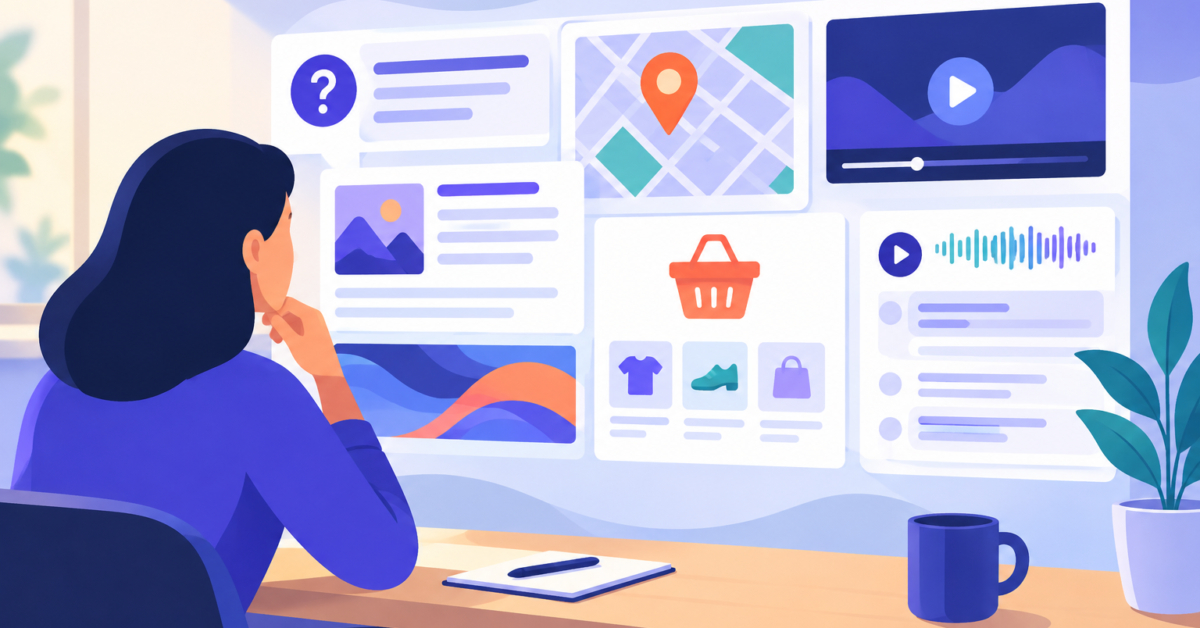
You type a phrase into a search box and the results page shows a short answer at the top, a box of related questions, a row of videos and then the usual links. Which of those should shape the page you are about to write? Reading SERP features and search intent together gives you a practical answer. The layout is evidence about what searchers may want, and your job is to test that evidence against the results you can actually see.
In this guide I explain what each feature can hint at, give you a six-step manual process, and show how to check that your own title, headings and description match the task you identified. The research behind it was checked on October 21, 2026, and I flag where results vary by location, device and time.
Table of Contents

What Are SERP Features and Search Intent Labels?
A search engine results page (SERP) is the page you see after a search. Besides plain text results, Google’s Visual Elements Gallery in Google Search Central describes image results, video results, sitelinks and related-question groups, which people often call People Also Ask. I use “SERP features” as a general name for these extra elements and result types.
Search intent is the task a person is trying to complete with a query. I use four plain labels:
- Informational: the searcher wants to learn something or solve a problem.
- Navigational: the searcher wants to reach a particular site or section of a site.
- Commercial: the searcher is evaluating options before deciding.
- Transactional: the searcher wants to take an action, such as buying something.
One results page can mix these tasks. A query about a product may show guides, comparisons and shop pages together. So treat the labels as a way to organize your notes, not as a verdict that every person behind a query wants the same thing.

How SERP Features and Search Intent Connect: A Quick Guide
The table below lists common features, the task each one may suggest and a page format that could complete that task. Every connection is an interpretation to test against the visible results. It is not a search engine rule.
| Feature | Possible task | Suitable page format |
|---|---|---|
| Featured snippet | Quick answer or explanation (often informational) | Guide with a clear definition or steps |
| People Also Ask | Follow-up questions around a topic (often informational) | Guide or FAQ section that answers real questions |
| Local pack | Finding a nearby place (can be commercial or transactional) | Relevant location or service-area page |
| Image results | Seeing examples | Page with original, well-described images |
| Video results | Watching a demonstration | Tutorial, or a page that embeds or accompanies a video |
| Shopping results | Comparing or buying products | Comparison page, or a purchasable product page |
| Sitelinks | Reaching a section of a known site (may be navigational) | Clear site structure and distinct section pages |
Some notes on reading these rows. For People Also Ask, read the actual questions before you decide. They may call for a definition, an explanation or a step-by-step guide. Google Search Central says image and video results are more likely for queries that seek those media, which is why they can hint at a need for examples or demonstrations.
For local packs, Google’s Business Profile help says local results depend mainly on relevance, distance and how well-known a business is. A local pack tells you the task is place-based, but the person may still be comparing or ready to book.
For shopping, separate an editorial comparison from a page where a shopper can buy. Google’s merchant-listing guidance says eligibility applies to pages where a shopper can purchase a product, not editorial pages that link to other sellers. Sitelinks are generated automatically, so they hint that people may want to move around a particular site, but they do not prove the intent is exclusively navigational.

A Six-Step Manual Process for Reading a Results Page
You do not need special software to read a SERP. You need a notebook, a consistent method and a willingness to let the results change your plan.
- Search the exact phrase under the right conditions. Use the country, language and device your readers use, and record the date, location, language and device. Results can differ by all of these.
- Note the features and the page types separately. List which features appear, then list what the visible results are: guides, comparisons, business or location pages, category pages or product pages. Read titles and snippets instead of assigning intent from one feature.
- Write down the primary task and any substantial secondary task. For example, “learn what this is” first, “compare options” second. Then choose a page format that can genuinely complete the primary task: a guide for an explanation, a comparison for evaluating choices, a location page for a local service, a purchasable product page for a purchase.
- Gather related wording. The Keyword Suggestion tool returns ideas from sources such as Google, Bing, YouTube, Yahoo, Amazon and Wikipedia, and you can copy or export them as CSV. The Long Tail Keywords tool expands a seed phrase with autocomplete suggestions, and its results table lists each suggestion with its keyword length and word count. These are suggestions, not verified search volume, competition or conversion data.
- Group phrases by task, then check each group. Similar wording does not guarantee identical intent, so search a representative phrase from each group and compare the results. If you are unsure whether two phrases belong on one page, read whether similar long tail keywords need separate pages. For question-style ideas, the People Also Ask Extractor finds question-style Google suggestions grouped by what, how and why. Treat them as ideas, not a copy of the box you see in your own search.
- Plan the page substance first. Decide what the page must contain to finish the task, then write the title, headings and description to reflect it.
Here is an illustrative example, not a real observation. Suppose you search a phrase like “how to choose a running shoe” and your notes show a question box, several guides and a few video results, with no shopping results. The likely primary task is learning, so a clear guide fits better than a product listing. If shopping results and category pages dominated instead, the task would lean toward comparing or buying, and a guide alone might not complete it.
Check Your Own Page's Signals with AllEasySEO
Once you know the task, ask whether your page signals that task to a reader and a crawler. These checks do not show which features appear for a query. They show what your page communicates.
- Run the page through the Spider Simulator. It shows the title, meta description, headings, internal links and text as a crawler reads them. Ask whether someone seeing these signals would expect the task your page actually fulfills.
- Review the title and description with the Meta Tags Analyzer, and use the Google SERP Snippet Preview to see how they may look on desktop and mobile, including truncation.
- Look at your heading outline with the HTML Headings Checker, which lists every H1 to H6 and flags a missing H1 or skipped levels. The headings should walk the reader through the task, such as definition, steps, then pitfalls for a guide.
- Fix mismatches in the page itself first. A guide titled like a shop page will still be a guide.
Google Search Central’s snippet documentation explains that result snippets are generated primarily from page content, and that the meta description may be used when it describes the page better. So write an accurate description, but do not expect it to appear word for word.
What a SERP Cannot Tell You
A results page is a snapshot. Location, device, language and time can change what you see, so record your conditions and recheck before making a consequential content decision. If you suspect a recent shake-up is distorting your observations, the SERP Volatility Checker lists dated volatility values from a provider’s feed so you can compare a spike with recent days. It describes movement in general, not your own queries.
Keep these limits in mind:
- A feature does not prove intent, and a query rarely has only one intent.
- Copying a format that is visible today does not win a feature or a ranking. Google says correctly implemented product structured data does not guarantee a merchant-listing appearance, and its results gallery describes displays that vary.
- Features change over time, so a screenshot is only valid for its date and search conditions.
- Suggestion tools show wording ideas, not demand. A phrase appearing in autocomplete does not tell you how many people search for it.
For a location-driven query, remember that the same phrase can show a local pack in one place and not in another. The Local SEO Checker audits name, address and phone details, LocalBusiness schema, a Google Maps embed and a location in the title for a URL, which helps once you have decided a location page is the right format.
Frequently asked questions
Which SERP features signal informational versus commercial intent?
Featured snippets and People Also Ask often suggest an informational task, while shopping results, product listings and comparison pages lean commercial or transactional. Image and video results suggest a need for examples or demonstrations. These are clues to test against the actual titles and snippets, not fixed rules.
How do I match my page to what the results show?
Write down the most likely primary task from the visible results, then choose a format that can finish it: a guide for explanations, a comparison for evaluating options, a location page for local services, a purchasable product page for buying. Build the content first, then align the title, headings and description.
How do I check my own page's signals?
Use the Spider Simulator to see the title, description, headings, links and text a crawler extracts, then review the title and description with a meta tags checker and a snippet preview. Ask whether a reader would expect the task your page actually completes. These checks do not show which SERP features a query triggers.
Can one query have more than one intent?
Yes. A single results page can mix guides, comparisons and product pages, which suggests several tasks. Pick the primary task for your page and treat a secondary task as a section or a separate page, depending on how different the two tasks are.
Does a sitelinks display mean the search is navigational?
Not necessarily. Google describes sitelinks as automated, and they may suggest that people want to reach sections of a known site. Read the rest of the results to see whether other tasks are also present.
Do Keyword Suggestion and Long Tail Keywords show search volume?
No. The Long Tail Keywords results table lists suggestions with keyword length and word count, and Keyword Suggestion returns ideas from several sources. Neither should be read as verified search volume, competition or conversion data.
How often should I recheck a results page?
Recheck when you plan a significant content change or when your traffic pattern changes. Results vary by location, device, language and time, so note those conditions each time and compare like with like.
Next steps
Reading SERP features and search intent is a habit of observation, not a formula. Search the phrase under recorded conditions, note features and page types separately, name the primary task, gather related wording, and then check your page’s title, headings and description against that task. Revise the substance first, recheck the results when it matters, and do not expect any format to guarantee a feature or a ranking.
Related tools and resources on AllEasySEO:
Sources and further reading
- Visual Elements Gallery of Google Search | Google Search Central | Documentation | Google for Developers
- How to Write Meta Descriptions | Google Search Central | Documentation | Google for Developers
- alleasyseo.com: Long tail keyword suggestion
- alleasyseo.com: Keyword suggestion
- How To Add Merchant Listing Structured Data | Google Search Central | Documentation | Google for Developers
- Tips to improve your local ranking on Google – Google Business Profile Help